Everything a cemetery office touches, in one place.
Beyond the headline workflows, Plotbase covers the day-to-day machinery of running a cemetery. Select any feature for a closer look.
GIS-true mapping
Plots drawn from your municipality’s own GIS parcel geometry, refreshed on a schedule.
Learn more →Bookings & scheduling
One shared interment calendar tied to real plots and positions, with a status flow from requested through completed.
Learn more →Permits & service requests
Monument and interment permits, public service requests, and one-click conversion of a request into a scheduled work order.
Learn more →Work orders, office and field
Created at the desk, completed at the graveside — with photos and safety notes captured where the work happens.
Learn more →Finance subledger
Date-effective fee schedules, invoices, receipts, credit notes, AR aging and period close — with journal export to your ERP.
Learn more →Care-fund tracking
Computes, records and reports the care-fund contribution arising from each applicable sale, at the rates your bylaw sets.
Learn more →Digital memorials, moderated
Families and researchers can submit memorial pages; nothing publishes until your staff approve it.
Learn more →Reports & exports
Inventory, interments, revenue, AR aging and care-fund reports — on screen and as CSV.
Learn more →Roles, permissions & audit
Clerks, administrators and grounds crew each see exactly what they need. Every change is logged.
Learn more →Global search
One search across people, plots, permits, invoices and work orders — the answer to a counter inquiry in seconds.
Learn more →Runs where you already work
Fully browser-based on Windows and modern desktops — nothing to install. The field view installs to a phone’s home screen like an app.
Learn more →Supervised data migration
Staged imports with visible cleansing rules, validation before write, and an exception queue where nothing is discarded.
Learn more →GIS-true mapping
The map in Plotbase is your municipality’s own map — the same parcel geometry your GIS team maintains, drawn live in the cemetery office.
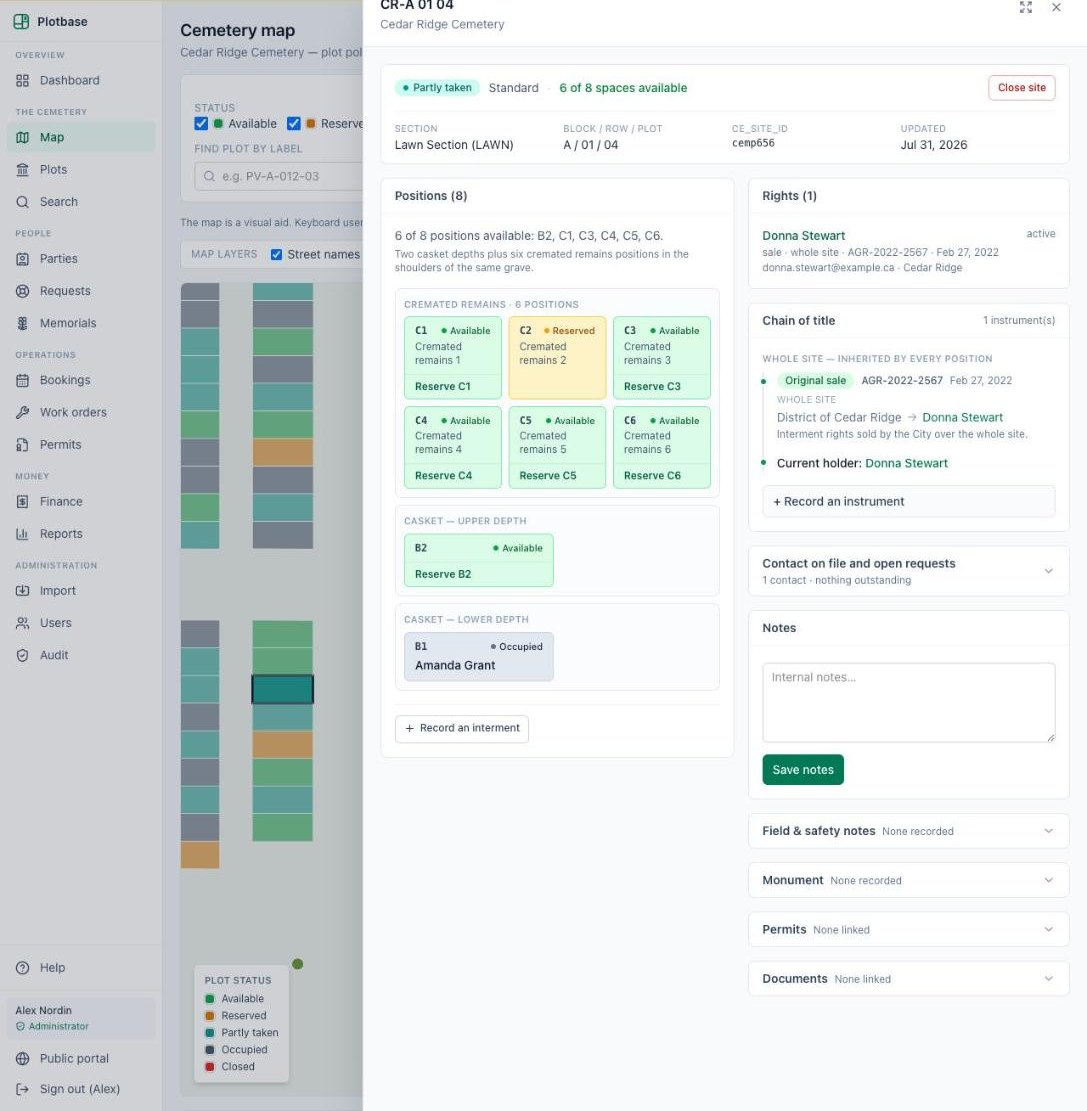
Plotbase reads the plot geometry your municipality already publishes from its GIS, on a schedule, so the cemetery map stays current without anyone re-drawing anything. Every polygon keeps its GIS identifier — which is how a plot record in Plotbase and a shape in your GIS always mean the same grave.
Just as important is what Plotbase doesn’t do: it never edits geometry. Your surveyors keep sole authority over where things are; Plotbase keeps authority over what’s happening in them — status, occupancy, rights and bookings, colour-coded on every plot.
- Scheduled sync from your published GIS service
- Status colour-coding shared by the office and public maps
- Find any plot by label and fly straight to it
- No competing map-editing tool for staff to maintain
Bookings & scheduling
One interment calendar for the whole office — tied to real plots, real positions and the crew’s work orders.
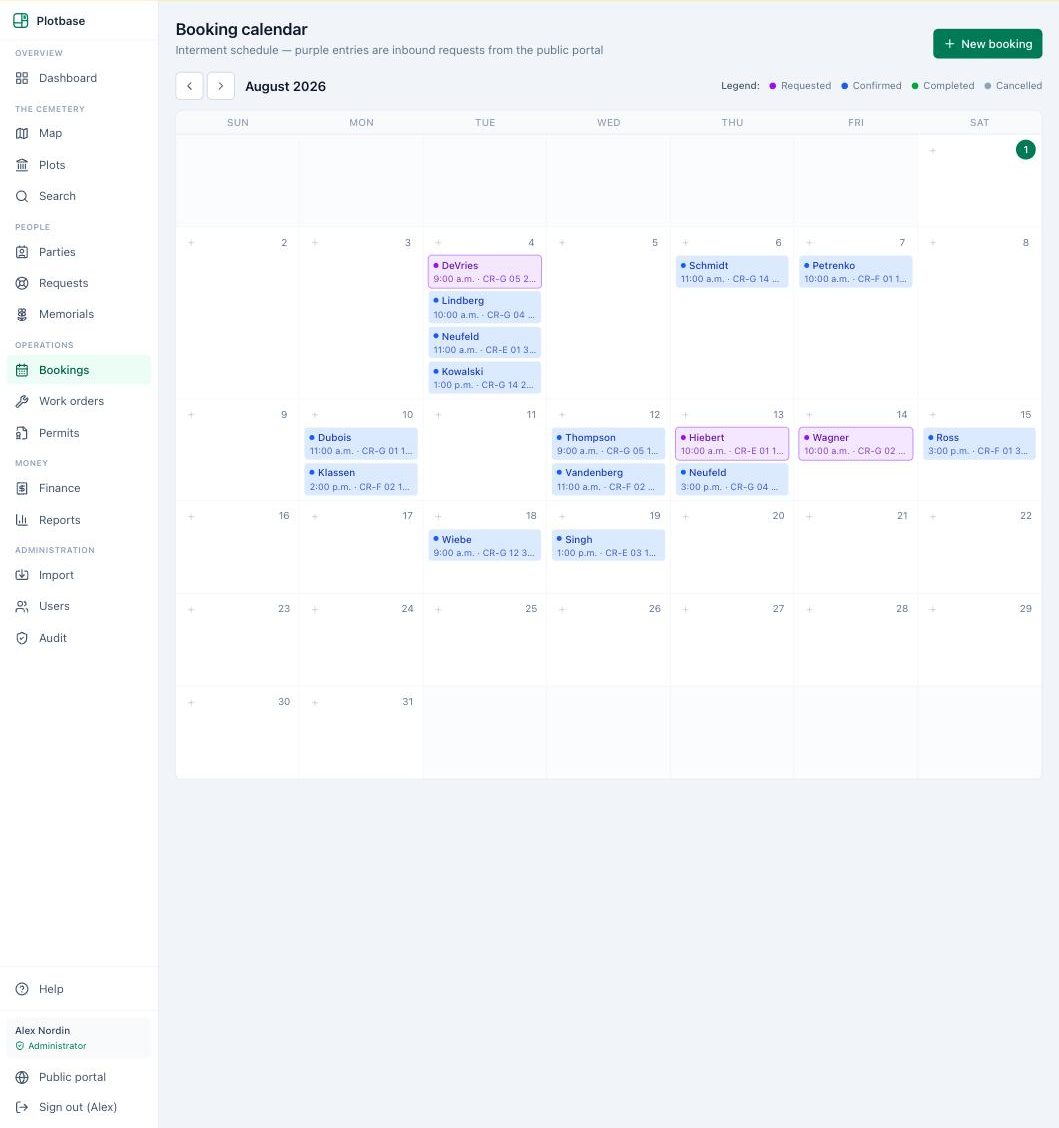
Every booking is recorded against a specific plot and position, so the calendar and the register can never disagree about what is sold, reserved or scheduled. Statuses follow the real flow of an interment — requested, confirmed, completed, cancelled — each visible at a glance.
Requests submitted through the public portal arrive on the same calendar as pending entries, so a funeral director’s online request and a walk-in at the counter end up in exactly the same queue.
- Month view with clear status colours
- Bookings linked to plot, position and work orders
- Public-portal requests land as pending entries for staff to confirm
Permits & service requests
Monument permits, interment permits and public service requests — recorded, tracked and connected to the work they create.
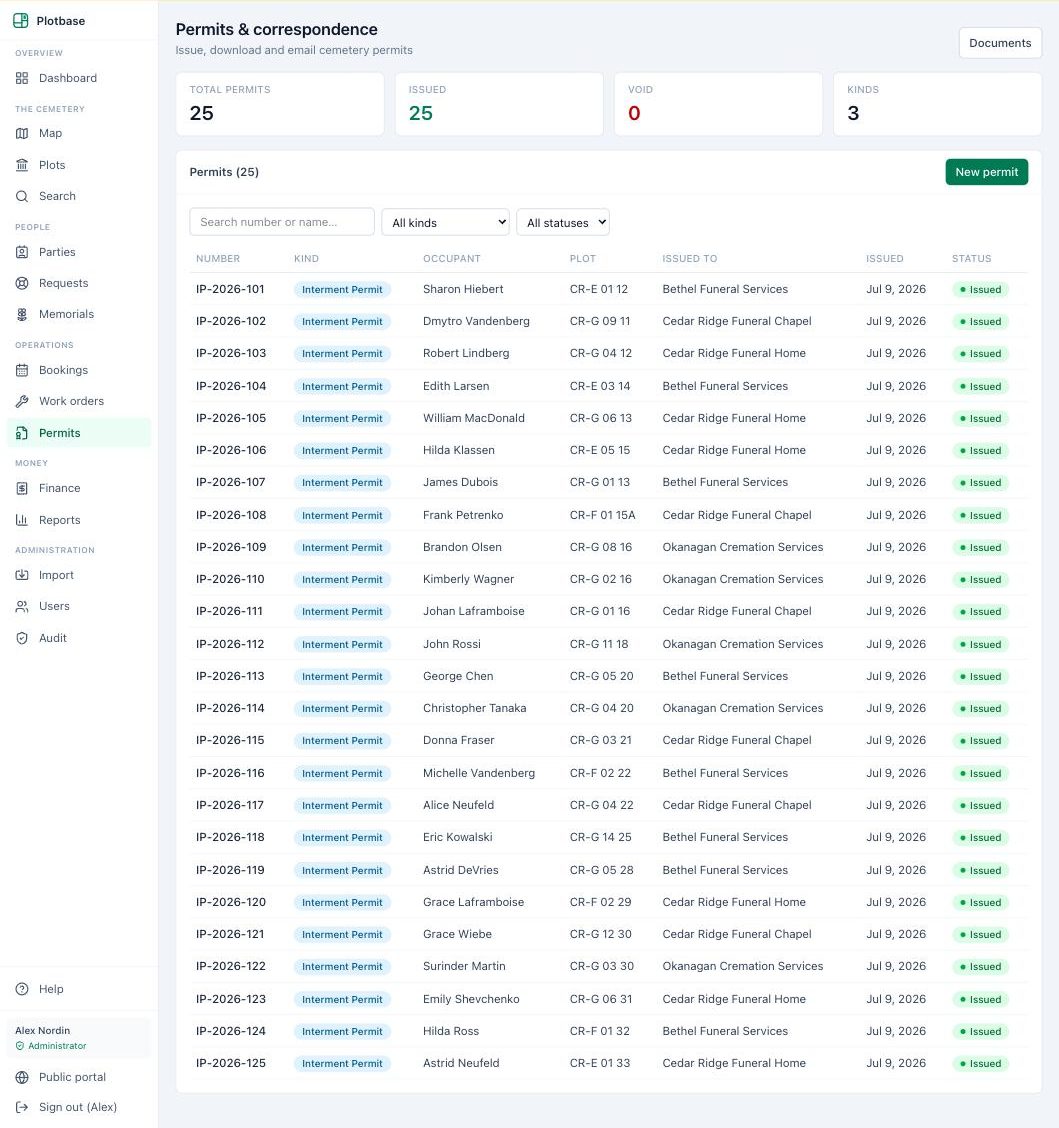
Permits are recorded against the plot and the responsible party, with their fees flowing straight into the finance ledger. Nothing lives in a side spreadsheet.
Service requests — from the counter or the public portal — sit in a triage queue where staff can review, respond and, with one click, convert a request into a scheduled work order that carries the original request with it.
- Permits attached to plot, party and fees
- A request queue with status tracking
- One-click conversion from request to work order
Work orders, office and field
Created at the desk, completed at the graveside — one work order, visible to both.
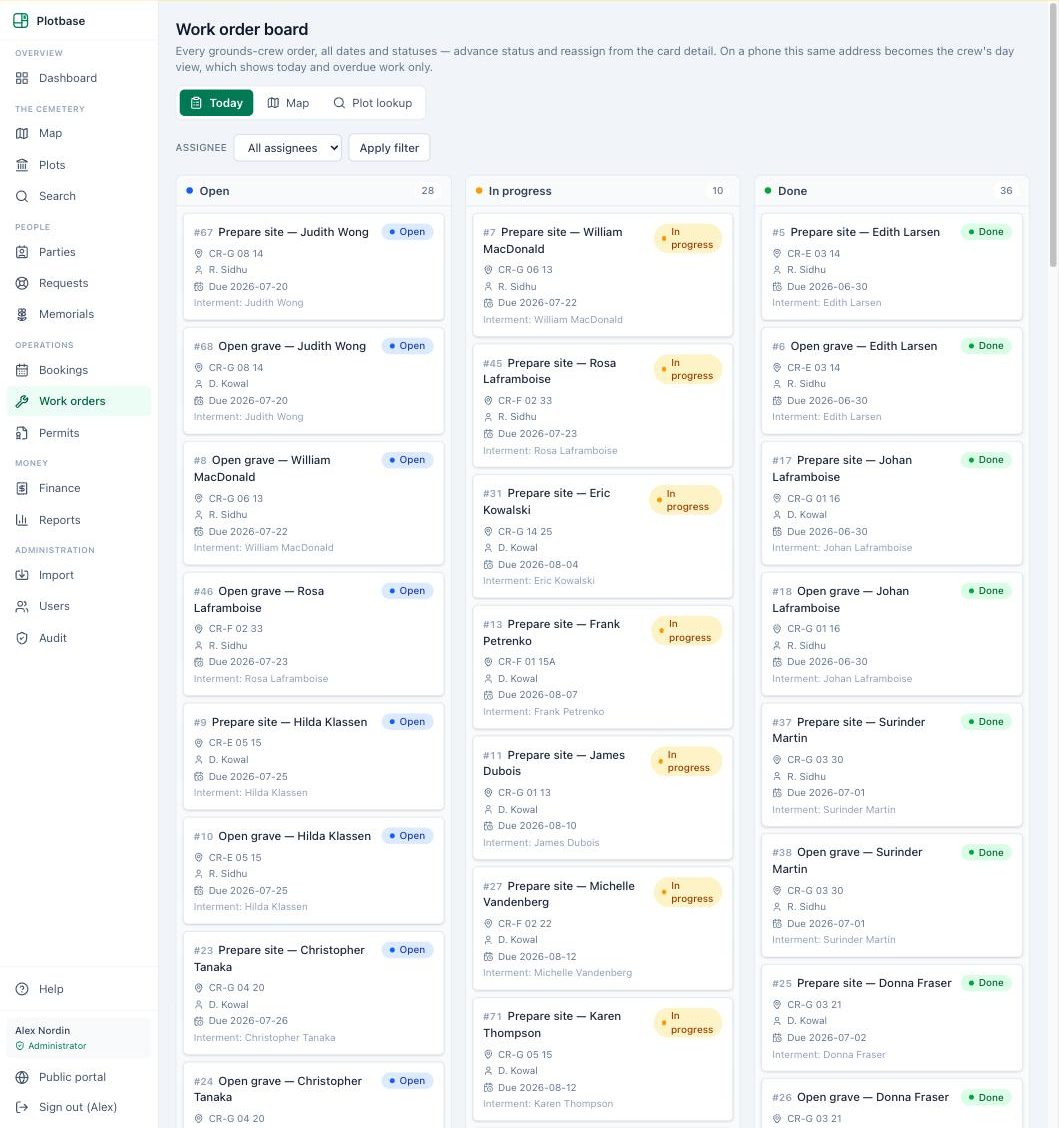
The office sees a full board of every order — assignments, priorities and due dates — while each crew member’s phone shows a focused list of today’s work. Both views read the same record, so there is no morning printout and no evening transcription.
Completion happens where the work does: photos and notes are captured on the phone and attached directly to the order, and safety notes recorded against a site surface automatically on future orders at that site.
- Office board with assignments, priorities and due dates
- A focused today view on each crew member’s phone
- Before-and-after photos and completion notes on the record
- Site safety notes that follow the plot, not the paperwork
Finance subledger
A complete invoice ledger in cemetery terms — priced correctly, posted permanently, exported cleanly.
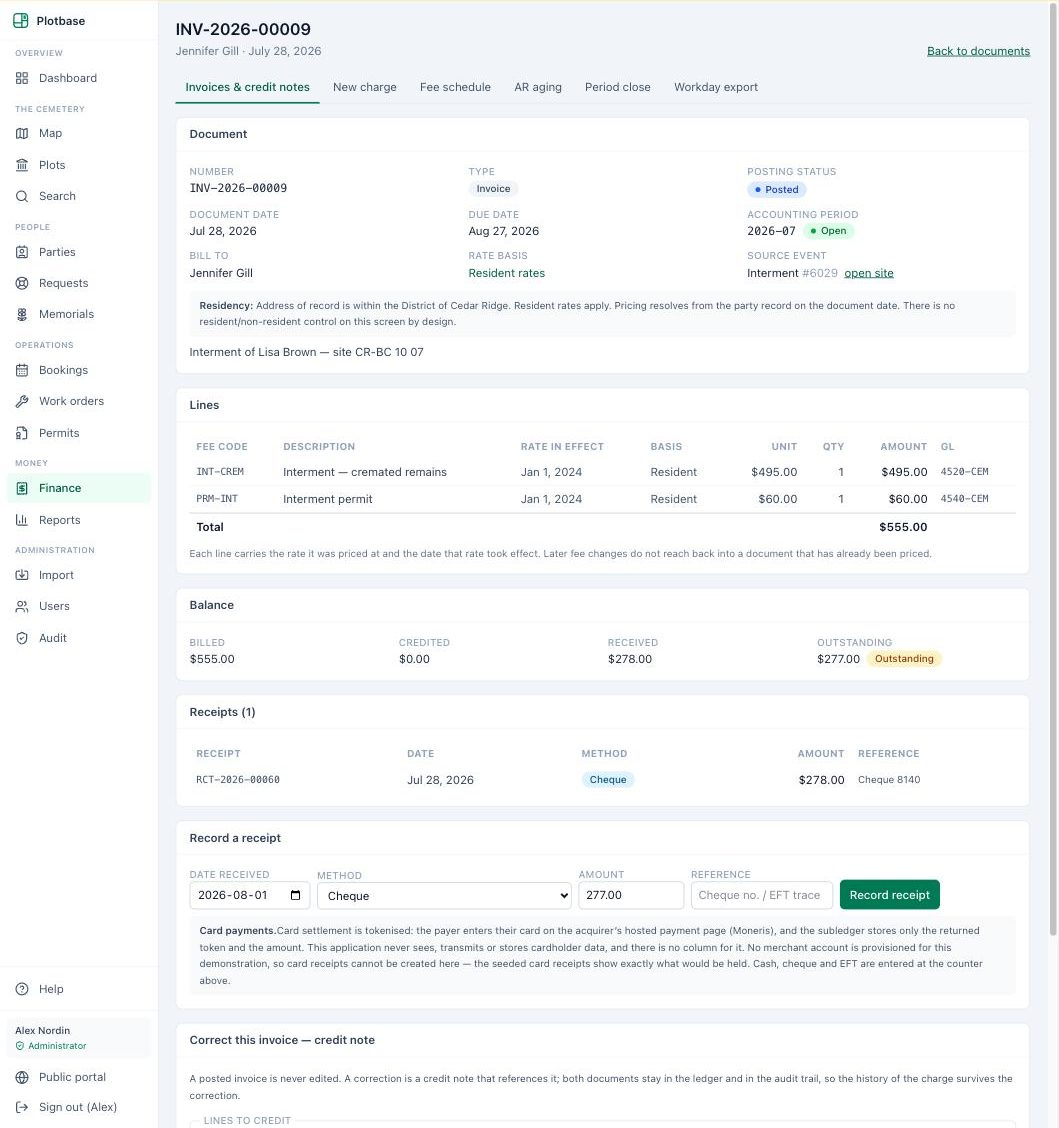
The fee schedule is date-effective with resident and non-resident rates: every charge is priced from the rate in force on its own date, so a decades-old sale still shows the price that was actually charged. Invoices, receipts and credit notes post against parties and interments, with AR aging and period close giving finance staff the controls they expect.
Posted documents are never edited — corrections happen by credit note, in the open. When it’s time to hand numbers upward, Plotbase produces summarized journal entries for your corporate finance system, so cemetery revenue arrives without re-keying.
- Date-effective fee schedule with resident and non-resident rates
- Invoices, receipts, credit notes, AR aging and period close
- Corrections by credit note — posted history never changes
- Summarized journal export to your ERP
Care-fund tracking
Perpetual-care obligations computed on every applicable sale — at the rates your bylaw sets.
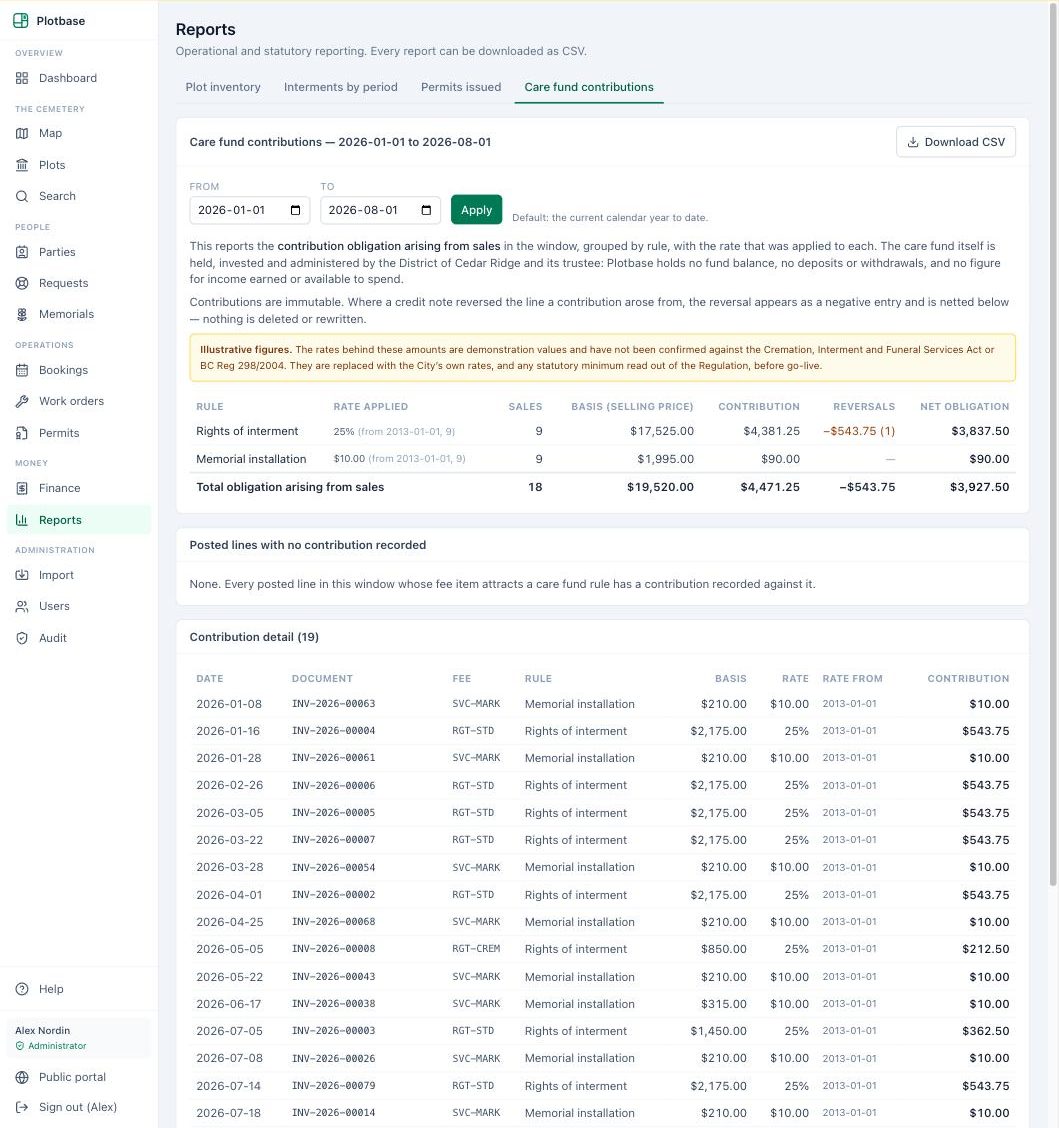
Provincial rules require a portion of certain cemetery sales to be set aside for perpetual care. Plotbase records the applicable rate for each sale category, date-effectively, and computes the contribution arising from every qualifying sale — so the number your finance office needs comes from the system of record, not a side spreadsheet.
Contribution records are immutable and reportable, ready for auditors. And deliberately, Plotbase stops at the boundary: it computes, records and reports the obligation. Holding, investing and disbursing the fund stays where it belongs — with your finance office and its trustee arrangements.
- Bylaw-set rates, date-effective per sale category
- Contribution computed and recorded on each applicable sale
- Immutable records, with reports and CSV export
- The fund itself remains with your finance office
Digital memorials, moderated
A living genealogical resource for your cemetery — with your staff holding the keys.
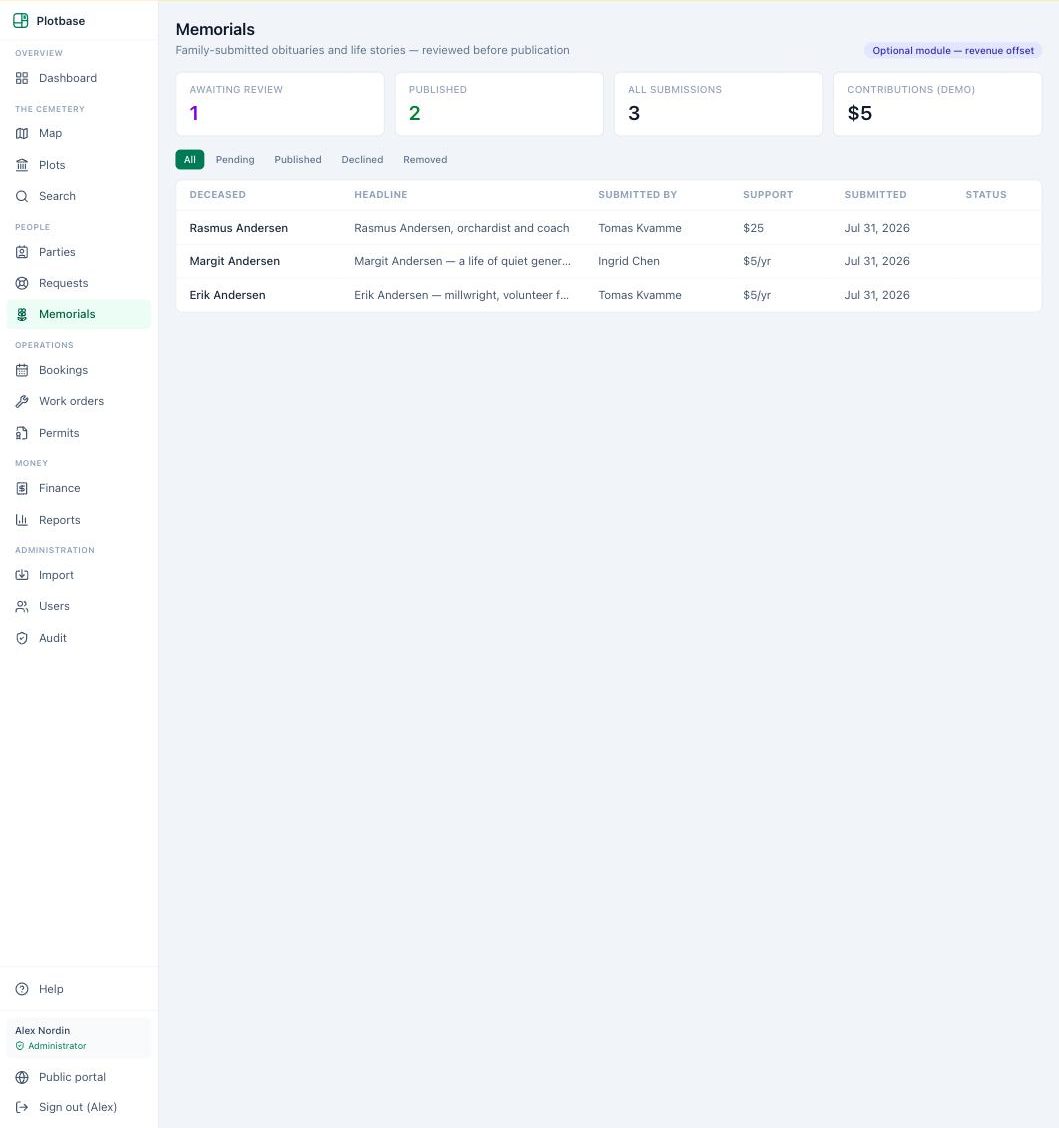
Families and researchers can submit memorial pages for the people interred in your cemetery — stories, dates and connections that would otherwise stay in shoeboxes. Each submission goes to a moderation queue; nothing is published until a staff member approves it.
Approved memorials appear alongside the public burial record, turning the register into a historical and educational resource that grows on its own — under your control.
- Public submissions, staff-moderated before anything publishes
- Memorials attached to real burial records
- Supports historical, educational and genealogical use
Reports & exports
The reports the council, the auditor and the counter all ask for — on screen and as CSV.
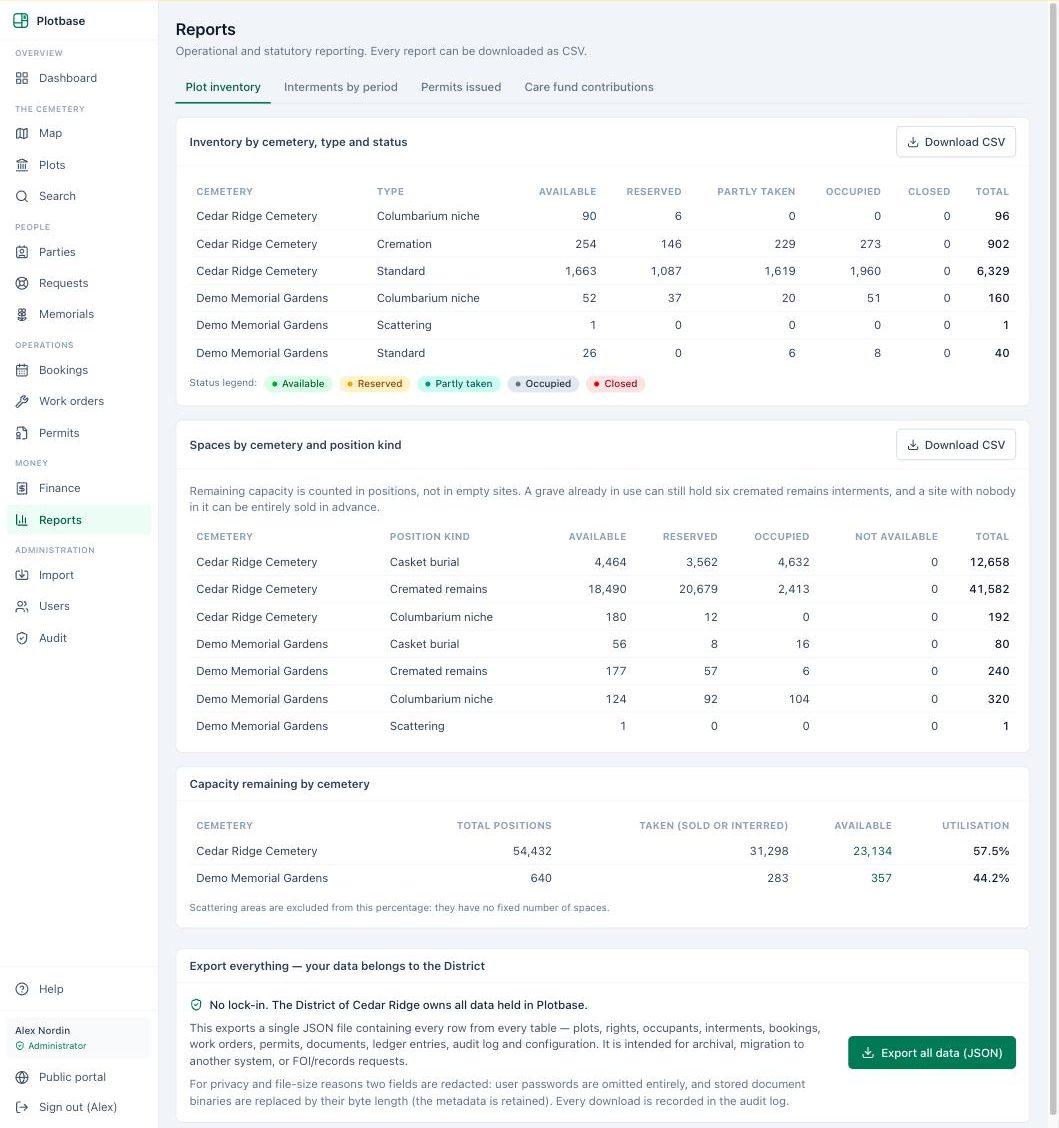
Inventory reports count what actually matters: available positions, not just available sites. Interment, revenue, AR aging and care-fund reports come straight from the same records staff work in every day, so there is no month-end assembly job.
Every report exports to CSV — ready for council packages, auditors, and whatever analysis your finance office prefers.
- Position-level inventory and availability
- Interments, revenue, AR aging and care-fund reporting
- CSV export on everything
Roles, permissions & audit
Everyone sees what their job needs — and the record remembers every change.
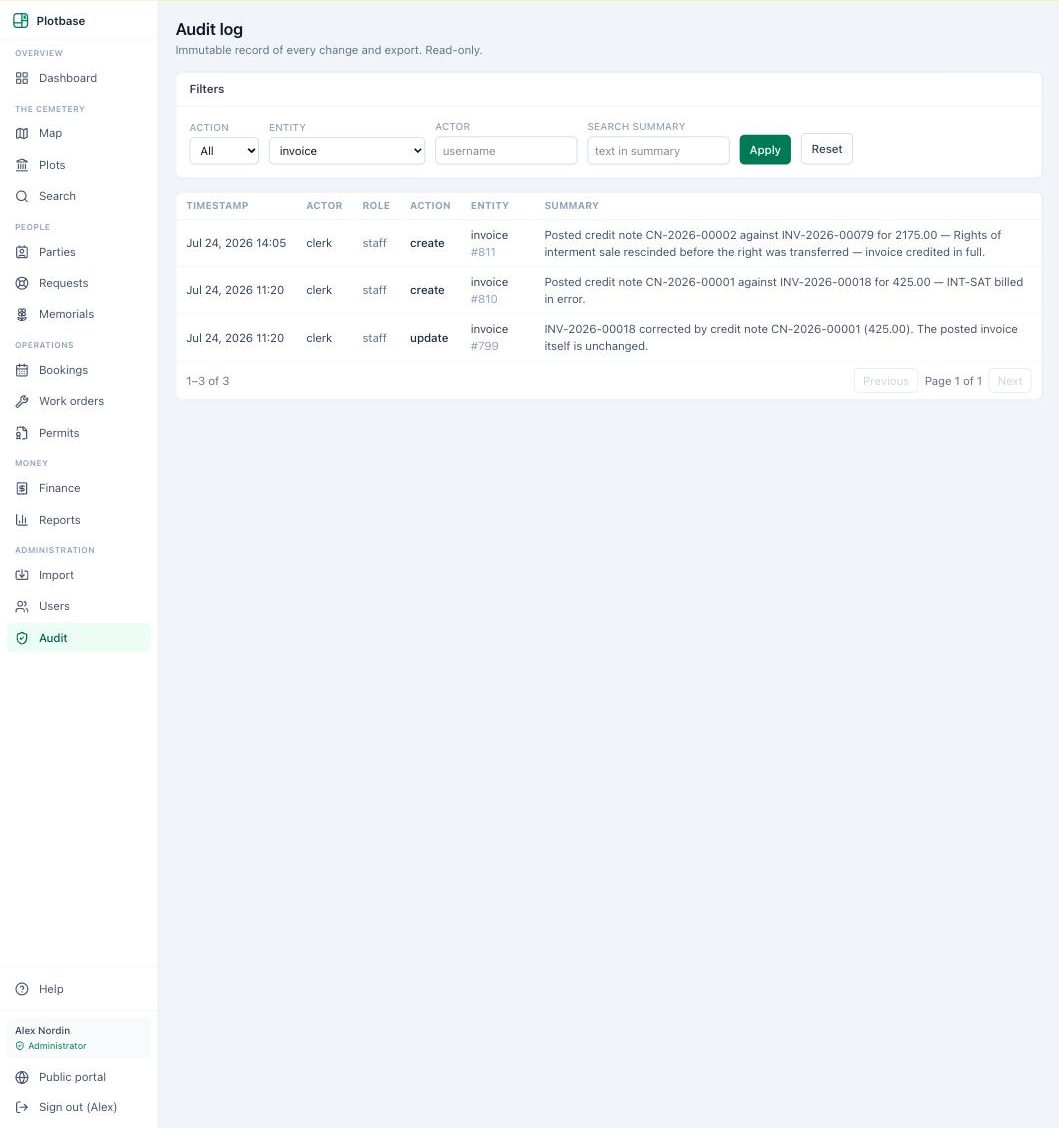
Clerks, administrators and grounds crew get role-based views, with permissions enforced on the server rather than merely hidden in the interface. New staff can be added — and access revoked — in moments.
Underneath, an audit log records who changed what, and when, on every record. Corrections are visible rather than silent — the standard a permanent public register should be held to.
- Role-based access for office and grounds staff
- Permissions enforced server-side
- A complete who-what-when audit trail
Global search
One search box across the whole cemetery — the answer to a counter inquiry in seconds.
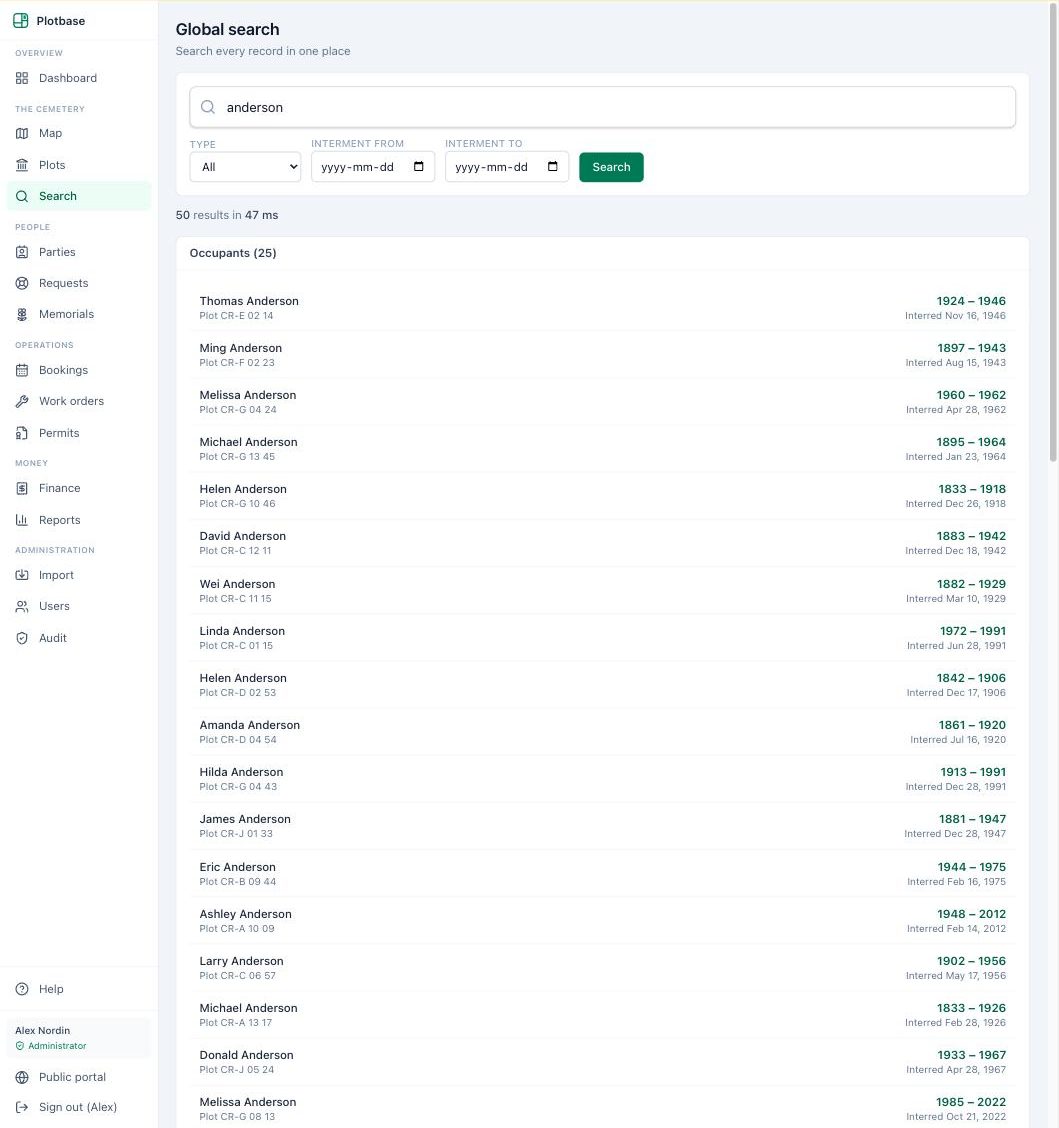
People, plots, permits, invoices, bookings and work orders all answer to one global search. A name fragment, a plot label or an invoice number lands you on the right record without deciding which module to look in first.
From the result, you’re one click from the record itself, its place on the map, or its ledger entries.
- People, plots, documents and money in one index
- Fast enough to use during a phone call
- Jumps straight to the record, the map or the ledger
Runs where you already work
Fully browser-based — nothing to install at the office, and a field view that lives on a phone’s home screen.
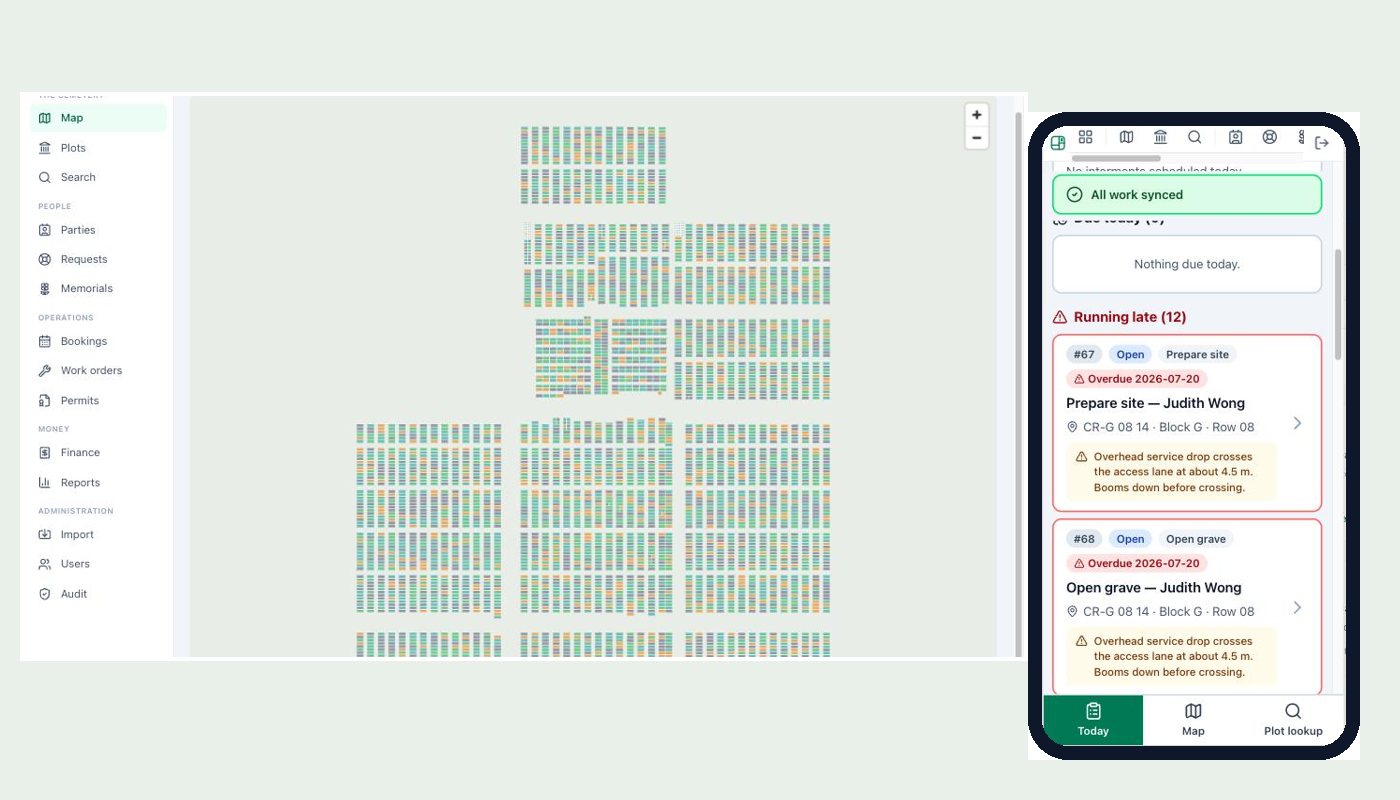
Plotbase runs in the browser on Windows and any modern desktop, so IT has nothing to package, license or patch machine by machine. Tablets and phones use the same system at the same address.
For the grounds crew, the field view installs to the phone’s home screen and opens full-screen like an app — no app store, no separate versions to manage.
- Browser-based on Windows and modern desktops
- No per-seat installation or licensing
- Field view installs to the home screen like an app
Supervised data migration
Decades of legacy records, moved in stages you can watch — with nothing thrown away.
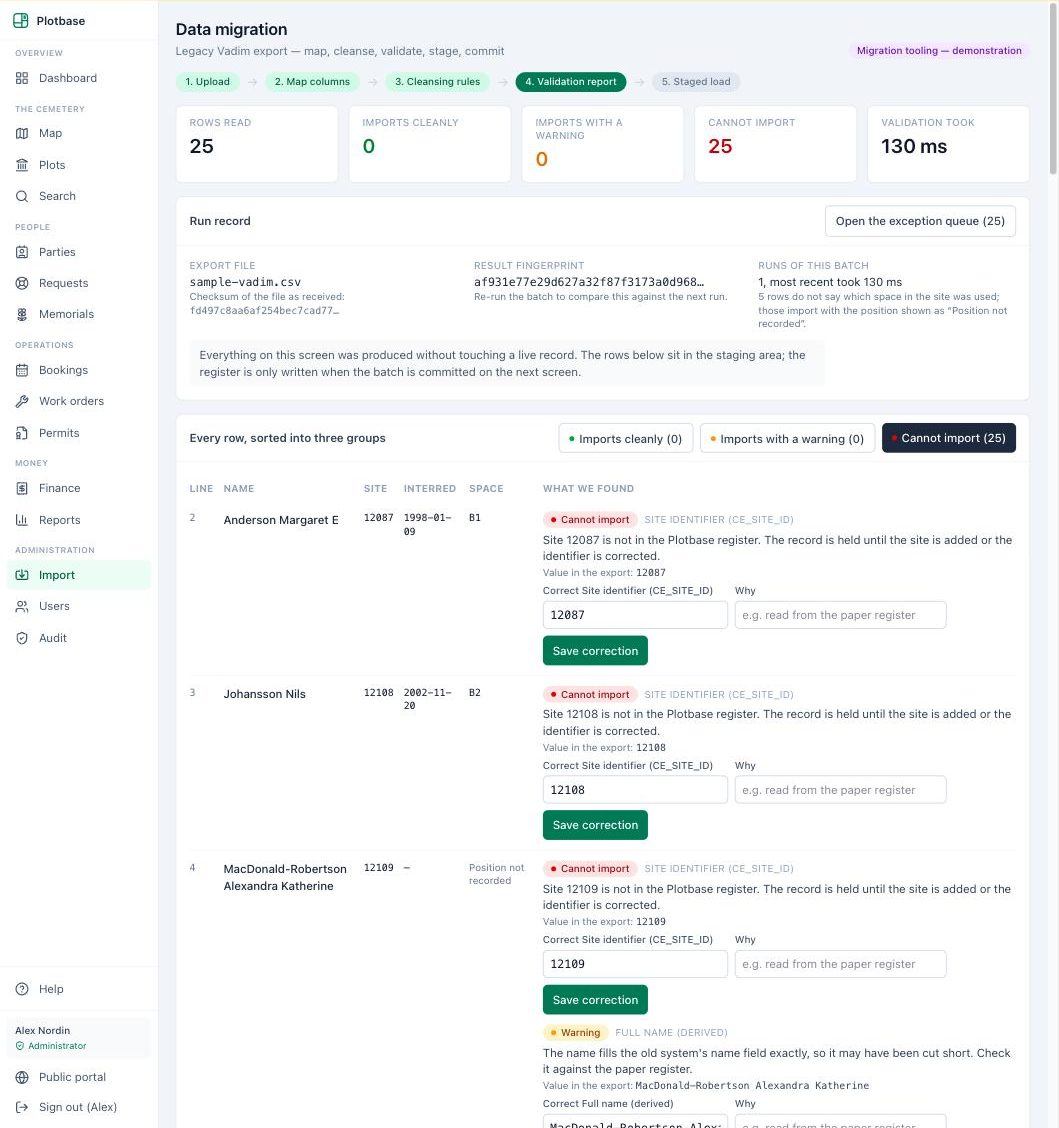
The import runs in supervised stages: the system proposes a column mapping and you confirm it; cleansing rules standardize dates, names and location references with visible before-and-after examples; and a validation report tells you exactly what will import cleanly before anything is written.
Records that can’t resolve automatically aren’t guessed at, and aren’t discarded — they wait in an exception queue with their original values intact, each carrying the reason it was flagged, until a person decides. For a register where the original entry is the legal record, that is the only acceptable design.
- Proposed column mapping, confirmed by you
- Cleansing rules with before-and-after examples
- Validation before a single record is written
- Exception queue — originals intact, nothing discarded
Want the full walkthrough?
We’ll demonstrate any of these features on realistic cemetery data.
Book a demo